WordPress technical SEO.
Find issues. Verify fixes.
Crawlory is a free WordPress technical SEO audit plugin by Irakli Antidze. Run 33 checks on the public pages your visitors and search engines can access. It checks rendered HTML and HTTP responses, then puts actionable findings in your WordPress dashboard and the editor for each page.
From the big picture
to the next fix.
Take a closer look at the dashboard and individual audit findings. Switch views, then enlarge a screenshot to explore every detail.
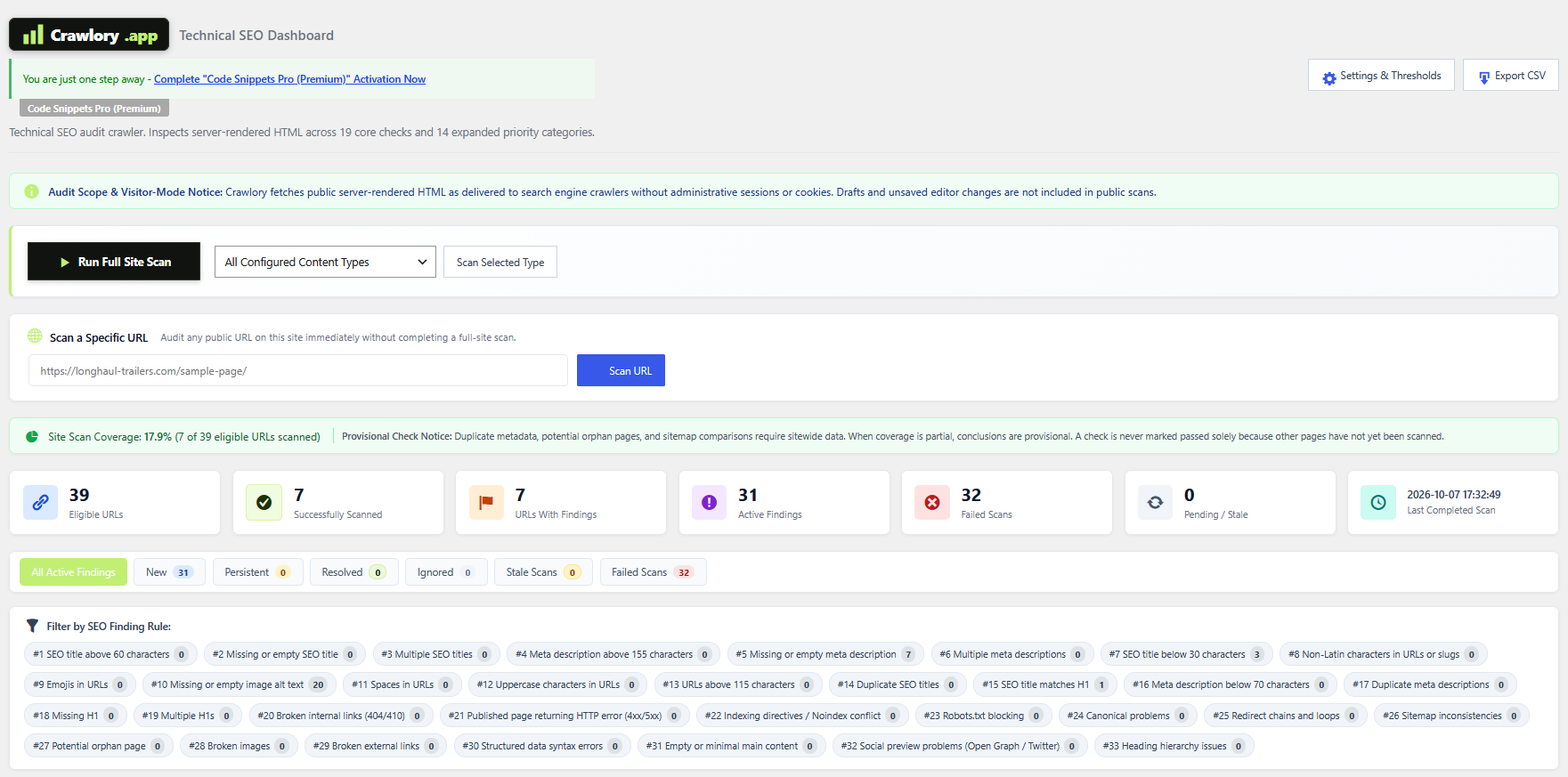
Your site's SEO, all in view.
Run a full scan or check one URL. Review coverage and totals, then filter findings by issue type.
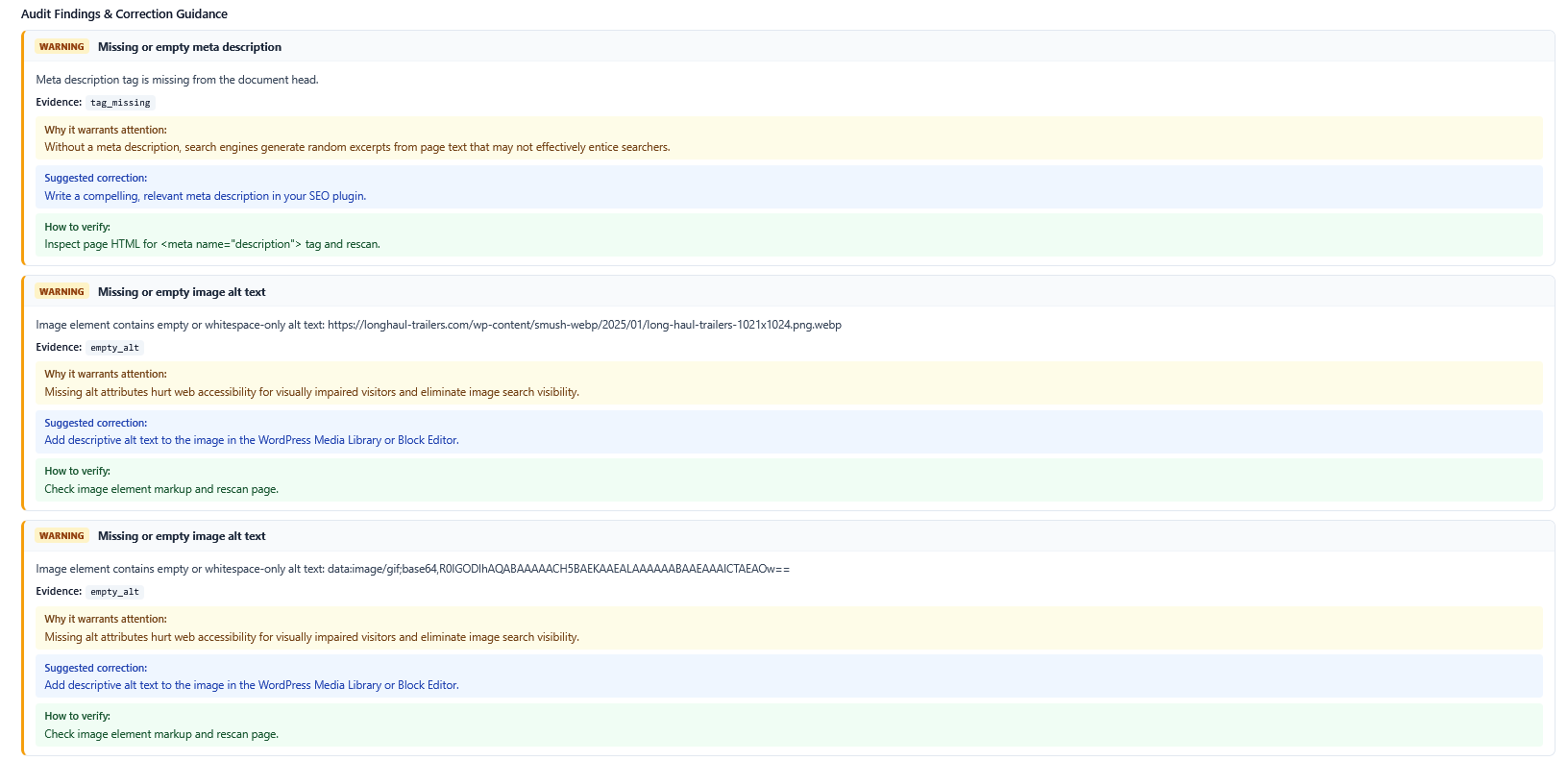
The evidence. The fix. The next step.
See what triggered an issue, read the suggested correction, and follow the steps to verify your change.
A WordPress SEO audit that shows you what to fix
Crawlory connects technical SEO findings to the URLs and content items that need attention. Review a sitewide issue list, open the affected WordPress editor, and rescan a URL to verify a correction.
33 technical and on-page checks
Find missing, duplicate, unusually short, or long titles and descriptions, heading problems, image alt issues, URL concerns, and more.
Evidence from the live page
Crawl public server-rendered HTML and HTTP status. Crawlory sees output from your active theme, page builder, and SEO plugin without forwarding admin cookies.
Sitewide and individual URL scans
Audit WordPress inventory or focus on one public URL. The editor panel gives page-level context for supported posts, pages, products, and custom post types.
Findings with a history
Track issues as new, persistent, resolved, or reappeared. A failed fetch or incomplete resource check will not falsely mark an earlier issue as fixed.
Background scan processing
Long audits continue in batches using WordPress background processing, so you can close the browser tab while the scan proceeds.
Clear audit data safely
Crawlory includes a complete audit-data reset for its audit tables while preserving your WordPress content and Crawlory settings.
What does Crawlory check?
Crawlory groups 33 checks into the issues SEO teams commonly investigate during a WordPress technical SEO audit. Each finding points to the affected URL so you can inspect the evidence and decide what to change.
Titles, descriptions, and page structure
Missing, multiple, duplicate, too short, or too long SEO titles and meta descriptions; missing or multiple H1 headings; skipped or empty heading levels; and missing Open Graph title or description.
URLs and image accessibility
Non-Latin characters, emojis, uppercase characters, and URLs longer than 115 characters; images missing an alt attribute; and broken images returning HTTP errors.
Crawling, indexing, and canonical signals
Published URLs returning HTTP errors, robots and X-Robots-Tag directives, Googlebot blocks in robots.txt, missing or conflicting canonicals, redirect chains or loops, sitemap inconsistencies, and potential orphan pages.
Links, content, and technical markup
Broken internal and external links, JSON-LD syntax errors, empty or thin main content, and missing responsive viewport metadata.
Explore all 33 technical SEO issues and how to fix them.
Checks are review prompts, not ranking guarantees. Title and description lengths are guidelines; non-Latin URLs can be valid, and decorative images can correctly use empty alt text.
How Crawlory works
Crawlory uses visitor-mode requests to inspect the public version of a WordPress URL. It reads server-rendered HTML without executing JavaScript. Unsaved editor changes, private content, and drafts are outside the scan.
1. Discover URLs
Scan the WordPress content inventory and sitemap, or choose a single URL for a targeted audit.
2. Inspect the response
Check rendered page HTML, headers, status codes, links, images, metadata, and crawl signals.
3. Review and verify
Open the matching content editor, make your change, then rescan the public URL and review its updated findings.
Download and install the Crawlory WordPress plugin
Crawlory v1.3.11 is a free download under GPLv2 or later. It is self-contained and does not require a paid API key or external SEO subscription. Download the ZIP from WordPress.org and upload it through your WordPress admin.
Download the ZIP
Open the Crawlory listing on WordPress.org and click Download.
Upload it to WordPress
In your WordPress dashboard, go to Plugins → Add New → Upload Plugin and select the ZIP file.
Install and activate
Choose Install Now, activate Crawlory, then open the Crawlory dashboard from your admin menu.
What is new in Crawlory 1.3.11?
Version 1.3.11 improves queue and migration safety, strengthens prepared database queries, and updates translation and output handling for the WordPress.org submission.
Safer scan queue
Queue insertion now distinguishes new, existing, and failed items, and scan startup stops cleanly when database writes fail.
Safer migration
Migration locks and ownership checks protect queue records while duplicates are preserved and resolved.
Submission refinements
Translation context, escaped output, and database query preparation have been updated. The package declares tested compatibility up to WordPress 7.1.
Crawlory FAQ
What is Crawlory?
Crawlory is a WordPress technical SEO audit plugin created by Irakli Antidze. It scans public, rendered WordPress pages, reports technical and on-page issues, and lets you inspect findings in the dashboard or relevant editor.
What does the Crawlory plugin check?
It includes 33 checks covering metadata, headings, image alt attributes, URL patterns, canonicals, indexing directives, redirects, sitemaps, links, images, structured data syntax, main content, mobile viewport, and potential orphan pages.
Can I scan one page or URL?
Yes. Crawlory supports sitewide audits and targeted scans, including a single public URL, so you can inspect a page after making a change.
Does Crawlory work with Yoast SEO or Rank Math?
Crawlory audits the rendered HTML generated by your WordPress theme, page builder, and active SEO plugin. Supported SEO plugin output includes Yoast SEO, Rank Math, All in One SEO, and SEOPress.
What are the system requirements?
Crawlory requires WordPress 5.8 or later and PHP 7.4 or later. It supports MySQL 5.7+ or MariaDB 10.3+ and requires the PHP extensions mbstring, DOM, libxml, JSON, and cURL.
Does Crawlory need a paid API key?
No paid API key or external SEO subscription is required. Crawlory runs as a WordPress plugin and audits publicly accessible URLs from your site.
Is Crawlory free?
Yes. Crawlory v1.3.11 is available on WordPress.org as a free ZIP download under GPLv2 or later. No paid API key or external SEO subscription is required.
Does Crawlory automatically fix SEO issues?
Crawlory reports findings and evidence. You make changes in WordPress or your site's configuration, then rescan the public URL to verify the result.
Does Crawlory render JavaScript?
No. Crawlory inspects public server-rendered HTML and HTTP responses. Content added only after JavaScript runs in a browser is outside its scan.
Who created Crawlory?
Crawlory was created by Irakli Antidze. Learn more about Irakli Antidze.
Start your WordPress technical SEO audit
Get Crawlory from WordPress.org and review issues in your own WordPress dashboard.